


Ragdoll Playground
4.42.96K Reviews
App Specs
- Version
- 1.16.3
- Updated On
- License
- Free
- Downloads
- 50,000,000+
- Developer
- Reggae True Love
- Categories
- Simulation
- Platform
- Android
Screenshots
 Analysis by AppCompare
I usually decide whether a sandbox game is for me by asking one practical question: can I make something entertaining without first learning a complicated set of rules? Ragdoll Playground answers that with a fairly open-ended style of play. It is a free simulation game from Reggae True Love, and its appeal is less about completing a campaign than seeing what happens when you arrange a scene and set its floppy characters in motion. That freedom is fun, though it also means the game relies on your own curiosity to keep each session moving.
Where players can get stuck
The main hurdle is not a difficult opening challenge; it is deciding what to do when there is no obvious objective to follow. If you expect a guided sequence of levels, clear missions, or a steady stream of rewards, this kind of sandbox can feel aimless. I find it works better when I give myself a small experiment to try, such as building a precarious stack or changing one part of a setup to see how the ragdolls respond.
There is also a difference between a simple scene and a satisfying one. Dropping several objects into the play area may produce a burst of movement, but it does not automatically make an interesting experiment. I get more out of changing one thing at a time: keep the basic setup similar, adjust a position or object, then watch what changed. That little bit of restraint makes the physics easier to read and gives the play session a purpose without turning it into a formal challenge.
Setup checks before you play
The game is rated Teen, so I would check that age guidance before handing a device to a younger player. It is available free to start, with in-app purchases ranging from $0.99 to $28.99 per item, so it is worth being mindful of purchase settings if other people use the device. The listed minimum operating-system requirement is 7.1, and the current version is 1.15.1; keeping an app and device in a compatible, up-to-date state is a sensible first check if something does not behave as expected.
Before blaming the controls, I would also try a small test scene rather than immediately rebuilding a complicated one. Place only a couple of objects, make a simple interaction, and see whether dragging and response feel normal. If they do, add pieces gradually. This is a useful way to separate an awkward layout from a broader problem, and it avoids wasting time trying to diagnose several moving parts at once.
Recovering a workflow when a scene goes wrong
In a sandbox, a messy result is often part of the entertainment, but sometimes I want to understand why an experiment failed. My approach is to change just one variable per attempt: move an object, simplify the arrangement, or try the same idea with fewer items. If the result becomes easier to interpret, I can build complexity back in. If the basic test is still awkward, I would close and reopen the game and try again before assuming the entire setup is unusable.
This also helps with the natural temptation to keep adding props. A crowded scene can be funny, but it can make cause and effect harder to follow and may be less comfortable on a device that is already struggling. I treat a compact experiment as a kind of reset: remove distractions, confirm the central interaction, then decide whether the extra chaos improves it. That is a more reliable route to a good result than changing everything at once.
Worth Reading Before You Choose

Flipboard Shows What News Apps Must Do Beyond the Feed

Switching to Android Auto Means Rethinking Your Driving Routine

Google Calendar Makes a Crowded Week Easier to Manage

Ludo King Makes the Most of the Minutes Between Plans

Baby Panda World Brings Quick Play to Modern Phones, but Its Game Library Feels Busy

ESPN’s Live Game View Makes Following Close Games Easier
When the game may not be the cause
If a scene feels sluggish or a control seems unresponsive, I would first consider the device and the way the scene is set up rather than immediately concluding that the game is broken. Closing other active apps, checking that the device has room to run comfortably, and testing a simpler arrangement are general troubleshooting steps that can help narrow things down. A single crowded experiment is not a fair test of every situation in the game.
For anyone wondering whether this is a quick pick-up-and-play game or something that demands long sessions, I think it can be either. A brief session works when I have one playful idea to test; a longer one makes sense when I want to refine a scene and compare outcomes. The trade-off is that there is no built-in goal doing the planning for me. Players who prefer clear progress markers may be happier with a mission-led physics game, while players who enjoy tinkering are more likely to appreciate the open format.
There is a social angle too: the original experience describes sharing creations with friends, which can give an experiment a second purpose beyond watching it yourself. I would treat that as a way to show a result, not as a reason to expect a structured community or a particular sharing workflow. A scene that reads clearly is more enjoyable to pass along than one with so many objects that nobody can tell what the original idea was.
How it compares with other simulation games
Compared with management simulations, where the satisfaction often comes from balancing resources and steadily expanding a system, this game puts the focus on immediate physical reactions. Compared with puzzle games, it gives less direction about the “right” solution. That makes it a better fit for playful trial and error than for players seeking tightly authored stages. I would choose it when I want to make a small, silly experiment; I would choose a structured physics puzzler when I want a defined problem and a clear sense of completion.
That distinction also explains who should skip it. If you need a story to pull you forward, dislike open-ended play, or want every session to contribute to a visible long-term goal, the freedom may feel like a lack of substance. If you like testing cause and effect, enjoy unpredictable ragdoll motion, and are happy to invent your own short challenges, the simplicity becomes a strength rather than a missing feature.
The Wacky World of Ragdoll Playground
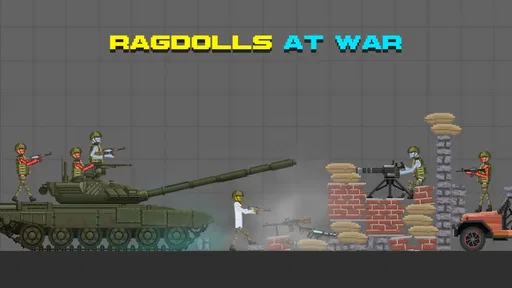
Imagine a world where you can unleash your wildest experiments on unsuspecting ragdolls. That's right, Ragdoll Playground throws you into a playground filled with endless possibilities. You start with a blank canvas and the power to create scenarios as crazy or as tame as you like. The best part? The ragdolls react to everything in the most hilariously floppy way.
Getting Started
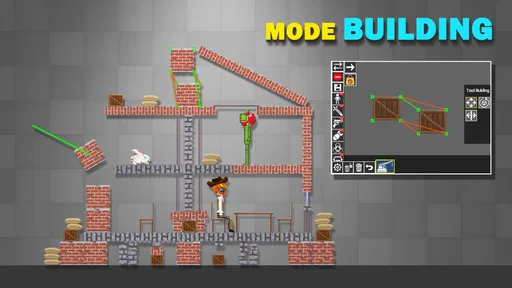
When you first dive into the app, the interface is pretty straightforward. You'll find a toolbox equipped with all sorts of objects to interact with. From simple boxes and balls to more complex contraptions, the variety keeps things fresh. The controls are intuitive, making it easy to drag and drop items into your playground.
What I loved about the setup is how it encourages experimentation. Want to see what happens when you drop a ragdoll onto a trampoline? Go for it! Curious about launching them with a catapult? Why not? The only limit is your imagination, and trust me, things can get pretty wild.
Chaos and Creativity
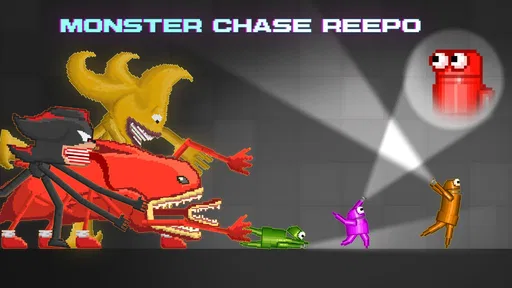
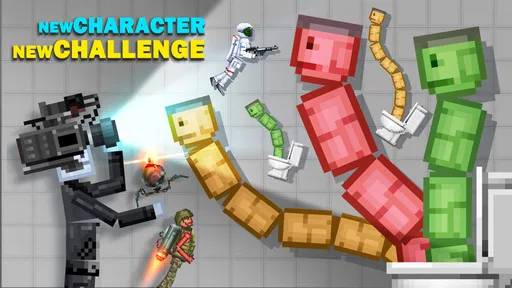
This is where the magic happens. The physics engine is the star of the show, and it’s impressively accurate yet delightfully unpredictable. Watching the ragdolls tumble around, responding to every little nudge, is oddly satisfying. You can stack them sky-high or send them flying across the screen—it’s all up to you.
There's a certain charm in the simplicity of the game. It doesn’t bombard you with complex objectives or missions. Instead, it gives you the freedom to explore and create your own fun. I found myself spending hours just tinkering with different setups, tweaking things to see how the ragdolls would react.
Features That Stand Out
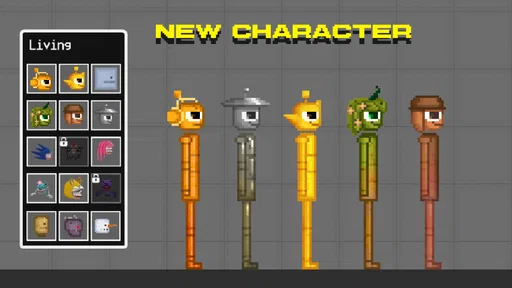
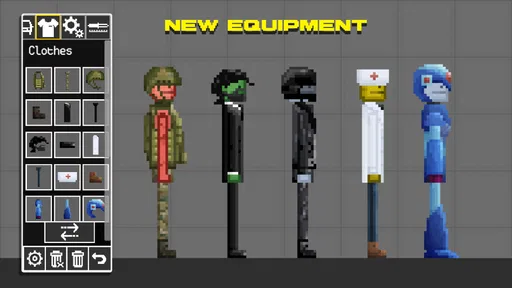
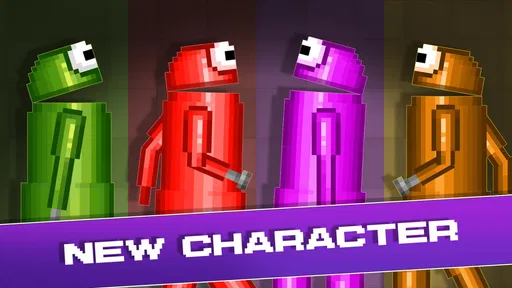
One feature I found particularly cool is the ability to customize your ragdolls. You can change their appearance, giving them a bit of personality before throwing them into your experiments. It's a small detail, but it adds a personal touch that I appreciated.
The game also supports sharing your creations with friends, which means you can show off your most ridiculous setups. There’s something satisfying about seeing your friends react to the chaos you’ve concocted.
Is It Worth Your Time?
Now, let’s talk about whether you should give this app a go. If you’re someone who enjoys sandbox games with a quirky twist, Ragdoll Playground is definitely worth checking out. It’s perfect for those moments when you want to unwind and have a good laugh.
The game doesn’t require a huge time investment, which is a plus in my book. You can pick it up for a few minutes of fun or spend hours crafting elaborate scenarios—the choice is yours. It’s a delightful mix of creativity and chaos that keeps you coming back for more.
In conclusion, Ragdoll Playground delivers a unique experience that’s both entertaining and stress-relieving. Whether you’re a casual gamer or someone looking for a creative outlet, this app has something to offer. So why not give it a try and see what kind of ragdoll mayhem you can create?
Pros
- Creative sandbox environment for endless fun.
- User-friendly interface for easy navigation.
- Regular updates with new features and items.
- Highly customizable character options.
- Offline play mode available.
Cons
- Limited tutorial for new users.
- Graphics may feel outdated to some players.
- Occasional in-app purchase prompts.
- Sound effects can become repetitive.
- Limited storyline or mission objectives.
FAQs for Ragdoll Playground
What is Ragdoll Playground, and how does it work?
Ragdoll Playground is a sandbox simulation game where players can experiment with physics-based interactions using ragdoll characters. The game allows you to manipulate objects, create scenarios, and observe how the ragdolls react to various forces. This provides a creative outlet for those interested in physics and experimentation.
Is Ragdoll Playground suitable for all age groups?
While Ragdoll Playground offers fun and creativity, it is best suited for older children and adults due to its physics-based interactions, which may include simulated violence. Parents should review the game content and settings to determine if it aligns with their preferences for younger audiences.
What features make Ragdoll Playground unique?
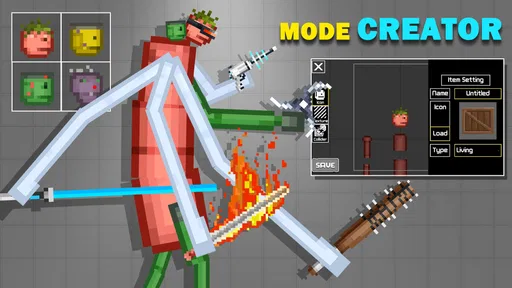
Ragdoll Playground stands out with its extensive customization options, allowing players to modify environments and characters. It also includes a variety of tools and objects to interact with, providing endless possibilities for creative experimentation and scenario creation, making each session a unique experience.
Are there in-app purchases in Ragdoll Playground?
Yes, Ragdoll Playground may offer in-app purchases for additional content or features. These purchases can enhance the gameplay experience by unlocking new items or customization options. Users should check the app store listing for details and manage settings to control spending if necessary.
Can Ragdoll Playground run on all Android and iOS devices?
Ragdoll Playground requires a device with adequate processing power to handle its physics simulations smoothly. While it works on most modern Android and iOS devices, older models may experience performance issues. It's advisable to check the app's requirements in the app store before downloading.


